Showing posts with label Finishing Equipments. Show all posts

Friday, July 8, 2011

Rhematec Electric Business Card Cutter Part 2

In this article, I am going to show how we use the Rhematec Business Card Cutter with the  easy-to-use desktop publishing software, PagePlus.

Just to review, there are five variations of the Rhematec Business Card Cutter:

 M/N: EBCC-B90R-E54R-A         (for size A4 paper with 10-up (2x5) non-bleed
layout, finished card size 90 x 54 mm)
 M/N: EBCC-B90R-E50R-A         (for size A4 paper with 10-up (2x5) non-bleed
layout, finished card size 90 x 50 mm)
 M/N: EBCC-B91R-E55R-A         (for size A4 paper with 10-up (2x5) non-bleed
layout, finished card size 91 x 55 mm)
 M/N: EBCC-B85G10-E54R-A     (for size A4 paper with 10-up (2x5) half-bleed
layout, finished card size 85 x 54 mm)
 M/N: EBCC-B88.9R-E50.8R-A   (for size Letter paper with 10-up (2x5)
non-bleed layout, finished card size 3.5" x 2")

The Rhematec Business card cutter I have is the one with finished card size of 90 x 50 (mm), non-bleed. Non-bleed means, the design of the business cards to be cut using this machine should not have any graphics sitting on its edges. There is a way around this, which will be focused on the part 3 of this article. The printer used is a laser printer. I have tried to use inkjet printer, but the feeding mechanism, has made inconsistencies with regard to the position of the prints. So it is not advisable to use this cutter, if you have an inkjet printer. 

Anyway, let's start:

Step 1: Make sure that the paper to be printed on is A4 in size. Not all the papers are accurately A4 in size. If not trim to size the papers. 

Step 2: Position the paper on the bypass tray (if you have a copier/printer), as landscape (by experience, it is more accurate on this way):
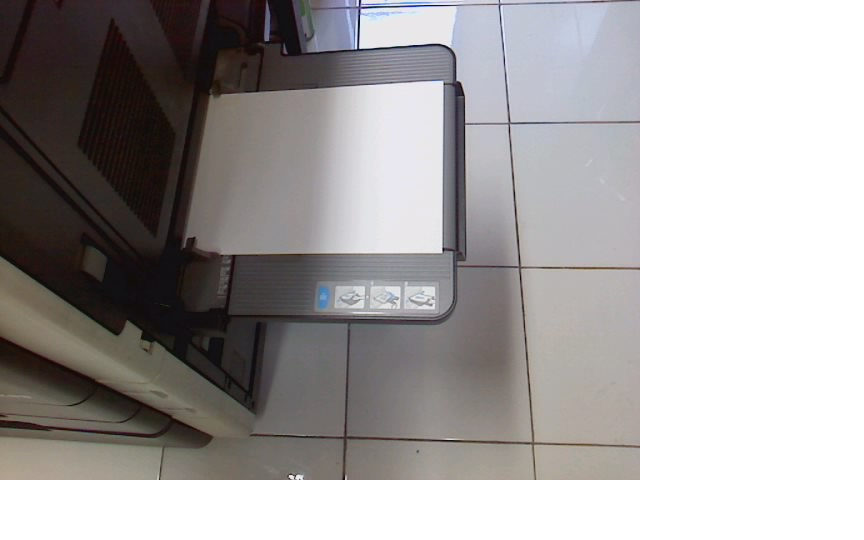
Step 3: Let's work on PagePlus. From the menu, click "File" then choose "Page Setup"


Step 4: On Page Setup window, click "Create Custom" button 


Step 5: On Small Publication Setup Window, enter the following details, then print the business card.

Step 6: Insert the printed business cards in the lower slot, with the top of the print, first:
These are the cut-out:


Step 7: Insert the printed business cards, this time in the upper slot. The topmost part of the print is now positioned on the rightmost part of the slot:

The business cards coming out:

The non-bleed, clean edge, business cards:

Sorry for the not so clear pictures but I hope this gave you an idea on how to prepare your file, a non-bleed business card for the Rhematec Business Card Cutter.


Thursday, June 10, 2010

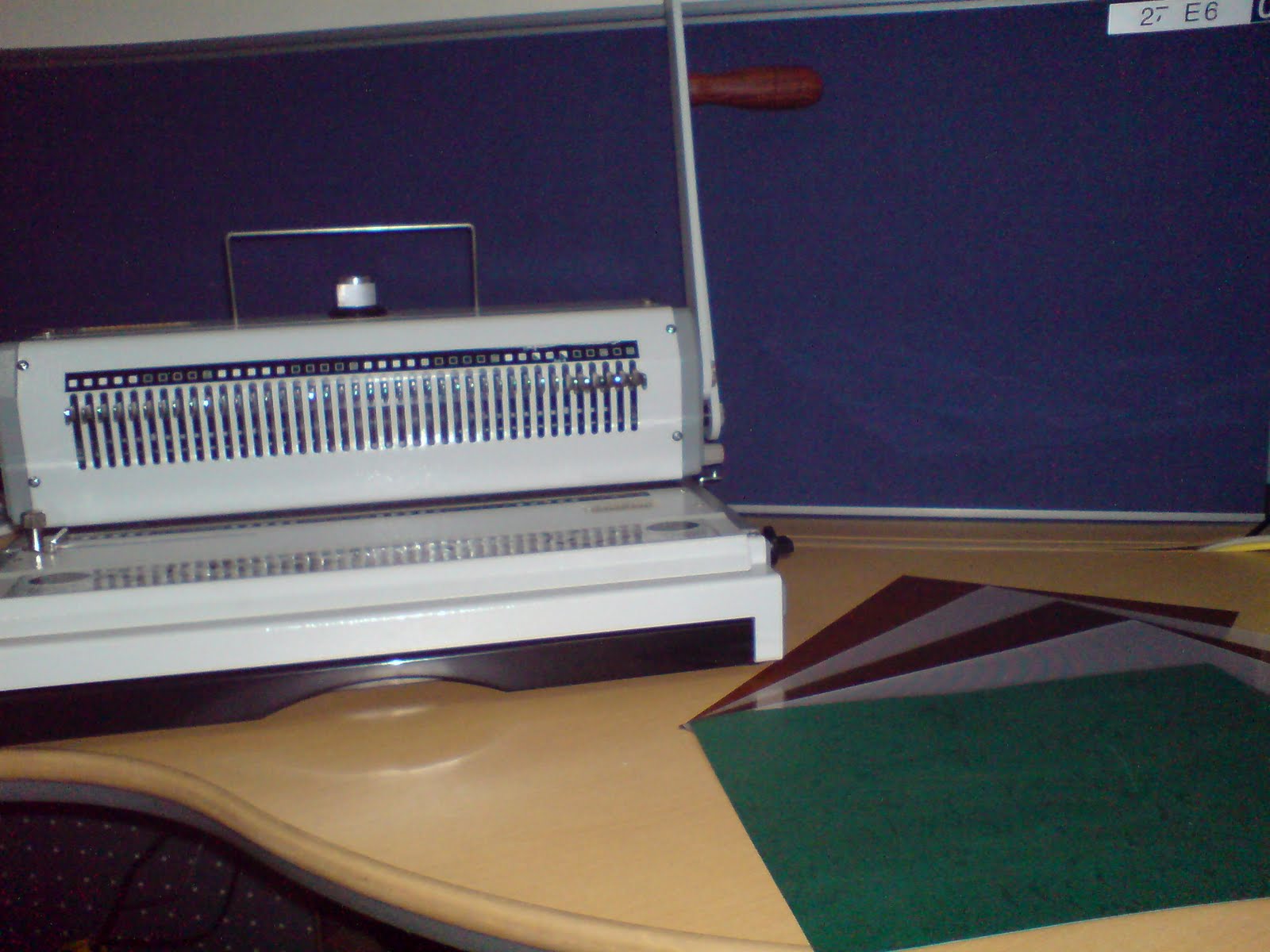
Double Loop Wire Binding

Double-loop wire binding is one of the binding methods I enjoy doing. I think maybe part of the reason was my fascination with these wires during my school days -- those wire bound notebooks that I used to have. And maybe part of the reason as well could be that I enjoy "securing" the pages and making them "whole", more like a book which is one of my past time so to speak. Or simply perhaps the very reason is that I have chosen the easiest and most enjoyable to use, double-loop wire binding machine. The binding machine I am using is the WireBinder 3:1 from Rilecart:

3:1 meaning, having 3 holes every inch. It is a square hole, can punch up to 20pages of paper and can bind up to 120 sheets of paper. I am not sure if the wiremac and wirebinder are one and the same but judging by the looks of it, they are. The instructions are well-presented on the manual included and on the website and their even is a video on youtube, so you'll never get lost. I have binded reports, notebooks, prayer books, numbering from 1 to 64 in one sitting and this machine didn't let me down. Little did I know that while I was doing the "hooking", I was slowly getting hooked! 

Here's the actual picture with binding covers on the side: 

Wednesday, June 9, 2010

Why Laminate?

I finally got to do a lot of lamination lately -- around 25 of them at least, courtesy of our neighboring new business. The couple admittedly wanted to save on money on their POP displays and learning aids and one way to preserve them the best is through lamination. The posters are A3 in size and printed on C2S 80gsm paper stock. The pictures on the posters are of high resolution, so they came out pretty well and complimented well with the design made by the guy owner. Then I have them laminated, using GMP Laminator:
I used the laminating films, thickness 250micron, supplied by GMP Philippines, for quality since they are the leader in lamination technology. When I tried out the first poster to be laminated, the printing is great but lamination even made it look greater. The owners were so happy that they decided to have more of their A3 sized poster/pictures to be printed and laminated. We'll see how it goes once they open soon.  

Friday, October 30, 2009

Rhematec Electric Business Card Cutter Part 1

Business cards are often the first corporate publication to be exchanged especially during the first meeting of business people . It is very important to make that great impression on  business cards -- the mood set by the color, the emphasis put on by the fonts used, the lasting message of the content and the smooth, clean edges! No matter how well-designed the business card is, if it has rough edges, it will still be perceived to be unprofessional. Does your  company deserve that? If you are looking for an affordable business card cutter, the Rhematec TESS 900 Card Cutter may be worth the try.


The supplier in Taiwan are prompt, willing and helpful with whatever queries I had. There are currently five standard models:


M/N: EBCC-B90R-E54R-A         (for size A4 paper with 10-up (2x5) non-bleed layout, finished card size 90 x 54 mm)
 
M/N: EBCC-B90R-E50R-A         (for size A4 paper with 10-up (2x5) non-bleed layout, finished card size 90 x 50 mm)
 
M/N: EBCC-B91R-E55R-A         (for size A4 paper with 10-up (2x5) non-bleed layout, finished card size 91 x 55 mm)
 
M/N: EBCC-B85G10-E54R-A     (for size A4 paper with 10-up (2x5) half-bleed layout, finished card size 85 x 54 mm)
 
M/N: EBCC-B88.9R-E50.8R-A   (for size Letter paper with 10-up (2x5) non-bleed layout, finished card size 3.5" x 2")


If you would like to have a custom-made cutter for slitting a specific size, you can send them the layout for their evaluation then they will let you know if it's feasible to make on their electric business card cutter. An example is a custom-made cutter for slitting an A4-sized paper with 9-up, full bleed layout (3 mm gutter) into playing cards.


What I have is the model for size A4 paper with 10-up (2x5) non-bleed layout, finished card size 90 x 50 mm. What does all the cutting specifications mean? It only implies that for every A4 paper, one can have 10 pieces(2 columns and 5 rows) each of size 90mm x 50mm business cards. The term "non-bleed" means that there are no prints on the edge of each business card and therefore no spaces between them on the layout of the card. This is the sample of the layout:


Notice that there are no spaces between each cards. So this model is more suitable for cards with either solid color or none at all over the edge.


Key Features:
- Light, portable, and compact design for home or office use
- Precise paper cutting @ 4 to 6 sheets/min (depending on paper thickness) enables making hundreds of quality business cards in a few minutes
- User-friendly operation
- Cut up to 300gsm paper


The shipping dimension is Length x Width x Height = 42cm x 23 cm x 18 cm. Gross weight is 3.5 Kg.


Opening the box there are two styropor block inside and another box which houses the main unit and the power adapter.


There is a nifty informative label on top:


Another important notice:


What you will see inside the box are the business card cutter, the sliding tray(stored inside the front cover of the cutter), the power adapter, operation guide and the printed paper for test cut along with some 10 pcs of blank papers.


The body is all made up of hard plastic.


Next time, I will post on the operation of this machine. Thanks for reading!